
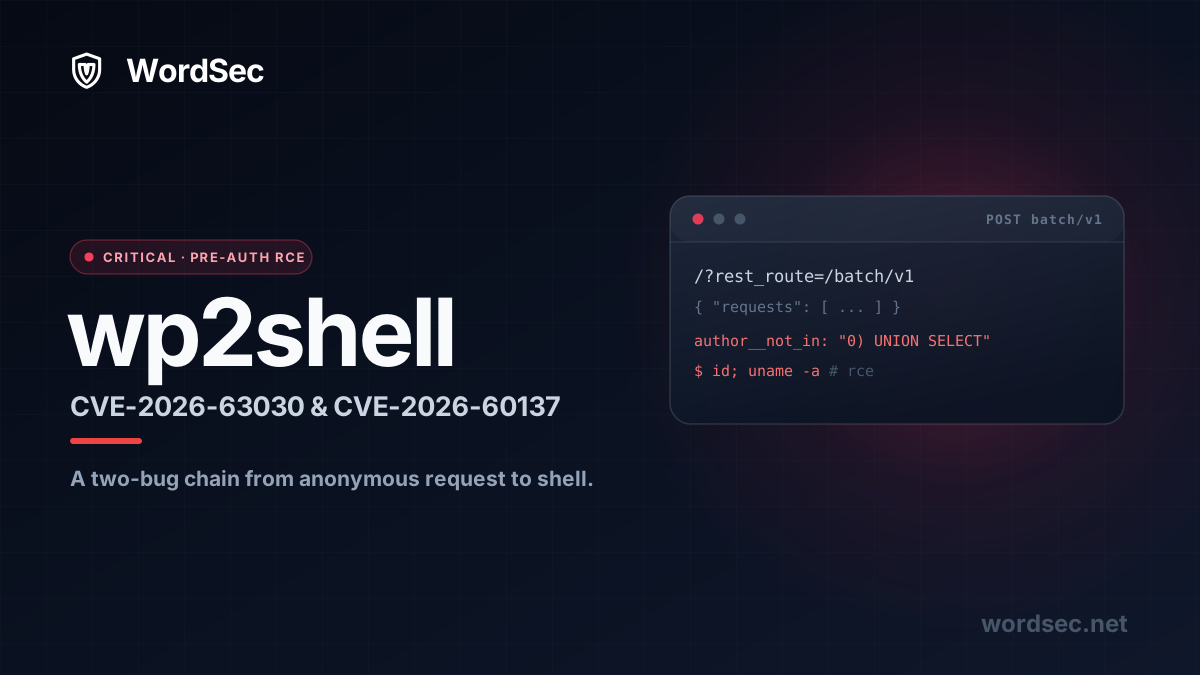
What is wp2shell?
A pre-authentication remote code execution bug in WordPress core is about as bad as it gets. No login, no vulnerable plugin, no special configuration. An anonymous request lands on a stock install and walks away with code execution. That is exactly what wp2shell is, and it affects the default WordPress setup that most sites run.
The chain was disclosed on July 17, 2026 and patched a day later in WordPress 7.0.2, 6.9.5, and 6.8.6. It stitches together two flaws: a REST API batch route confusion tracked as CVE-2026-63030 and a SQL injection in WP_Query tracked as CVE-2026-60137. Together they turn a single anonymous POST into a shell.
This guide is deliberately backwards. The technical breakdown is at the bottom for the people who want it. First, the part that actually keeps your site online: how to block the attack today, in a few minutes, without waiting for a maintenance window.
How to protect WordPress from wp2shell
You do not have to choose between patching and staying up. Do all three of these and the attack path is dead whether or not core is on the very latest build.
Step 1: Restrict the REST API endpoint in WordSec
wp2shell is delivered through the REST API batch endpoint, reachable at both /wp-json/batch/v1 and the legacy ?rest_route=/batch/v1. The whole chain depends on an anonymous request reaching that endpoint, so the single most effective move is to refuse anonymous access to it.
Here is the good part: WordSec locks this down out of the box. The moment you install and activate the plugin, API Protection is already on with these defaults, so any request from an unauthorized visitor is rejected with a 401 Unauthorized before it reaches WordPress. Most sites are covered without changing a thing. It is still worth knowing what each setting does and confirming it is enabled. Open Security, then Firewall, then API Protection:
- Restrict REST API Access is on, so only roles you approve can touch the REST API.
- Block Anonymous Access is on, so an unauthenticated call to
batch/v1is refused with a401before WordPress dispatches it. - Block ?rest_route= Parameter is on, which closes the legacy side door that reaches the REST API without
/wp-json/, the exact path scanners are hammering right now.
WordSec keeps a short allow list of the namespaces a normal site needs, such as oembed/1.0 and your contact form, so nothing legitimate breaks. Everything else stays behind a login. The batch endpoint is not something a public visitor ever needs, so refusing anonymous access to it costs you nothing. If you or another plugin ever changed these toggles, this is the one screen to switch them back on.
Step 2: Turn on the managed WAF rules with a free API key
Grab a free WordSec API key, activate it, and the managed rule set switches on. It blocks the SQL injection (SQLi) and remote code execution payloads wp2shell relies on, plus a wide range of other attacks, and it keeps catching them long before an official patch exists.
Step 3: Update WordPress core to a patched version
Finally, get core onto a fixed build. WordPress pushed forced automatic updates for affected versions, but forced updates are not instant and plenty of sites disable auto updates entirely. Check your version under Dashboard, Updates and confirm you are on one of these:
| WordPress branch | Affected versions | Exposure | Fixed in |
|---|---|---|---|
| 7.0 | 7.0.0 to 7.0.1 | Full wp2shell RCE chain | 7.0.2 |
| 6.9 | 6.9.0 to 6.9.4 | Full wp2shell RCE chain | 6.9.5 |
| 6.8 | 6.8.0 to 6.8.5 | SQL injection only | 6.8.6 |
| 6.7 and earlier | Not affected | None | No action |
If you cannot update immediately, steps 1 and 2 hold the line until you can. That is the point of layering. No single control has to be perfect.
Order of operations under pressure: block the endpoint first because it takes seconds, turn on the WAF rules second, then schedule the core update. You are protected the moment step 1 is done.
Think you were already hit? If your site ran an affected version on the public internet before you patched, treat it as possibly compromised. wp2shell ends in code execution, which usually means a webshell or backdoor file planted somewhere in your install. Run a malware scan to find and remove anything that was dropped: our guide on how to scan and remove malware from WordPress covers the full cleanup.
wp2shell is already being scanned, and WordSec is stopping it
The window between disclosure and mass scanning is measured in hours, not days. Public exposure scanners went live almost immediately, and automated traffic is already probing the batch endpoint across the internet as sites race to patch.
We wanted to see exactly how WordSec holds up, so we ran the public wp2shell.com exposure scanner against a WordSec-protected site ourselves. It sent a POST to /?rest_route=/batch/v1, and the firewall caught it, logged it, and blocked it in real time under a SQL injection rule.
This is what "prepared" looks like in practice. WordSec did not need an emergency signature written the night of disclosure. The endpoint controls and the injection rules that stop wp2shell were already shipping, because they target the underlying behavior rather than one specific exploit. That is the difference between chasing CVEs and covering the classes of attack they belong to. When the next unauthenticated core bug lands, and there will be a next one, the same controls are already in the way.
Keeping WordPress updated is necessary but not enough on its own. Updates close the bugs that are already public. A locked-down REST API and a firewall that inspects every request are what cover you in the window before the next bug is found and patched. If you already run WordSec, the three steps at the top take a few minutes. If you do not, you can install it from the plugin directory and set the same protection up on the free plan. Either way, the goal is the same: make the next core vulnerability something you read about rather than something you clean up after.
How the wp2shell exploit chain works
Now the technical part. If you have done the three steps above, everything below is context, not homework.
The two bugs behind the chain
Neither flaw is game over on its own. wp2shell is dangerous because of how they combine.
- CVE-2026-63030, rated critical, is a route confusion in the REST API batch endpoint. It lets an attacker smuggle a request past the per-request validation the batch handler is supposed to enforce.
- CVE-2026-60137, rated high, is a SQL injection reachable through
WP_Query. WordPress calls it a "facilitated" SQL injection because it is only exploitable when something delivers unsanitized input to the query layer. The batch route confusion is that something.
Chain them and an anonymous request reaches a database query it should never have been allowed to touch, with input the normal validation would have scrubbed. The batch bug is the key, the SQL injection is the lock, and the combination is the open door.
CVE-2026-63030: batch route confusion
The batch endpoint lets a client send several REST calls in one HTTP request. The handler in wp-includes/rest-api/class-wp-rest-server.php validates each sub-request and records the result in two parallel arrays: $matches holds the route and handler each request resolved to, and $validation holds whether that request passed its permission and parameter checks. Later it dispatches each request by numeric position, reading $matches[$i] and $validation[$i].
The whole thing depends on those arrays staying aligned with the request list. The vulnerable build broke that alignment in one spot. When a sub-request could not be parsed into a route, it recorded the failure in $validation but forgot to record it in $matches, then skipped ahead. Here is the exact change WordPress shipped in the validation loop:
foreach ( $requests as $single_request ) {
    if ( is_wp_error( $single_request ) ) {
        $has_error    = true;
        $matches[]    = $single_request;
        $validation[] = $single_request;
        continue;
    }

    $match     = $this->match_request_to_handler( $single_request );
    $matches[] = $match;
    // allow_batch, has_valid_params(), sanitize_params() ...
    $validation[] = $error ? $error : true;
}

// Dispatched later by position: $matches[$i] must line up with $validation[$i].
$match = $matches[ $i ];
The fix is a single line. From the moment a batch contained one unparseable request, $matches was one slot shorter than the request list, so every later request read the handler match belonging to a different request. A carefully ordered batch could make a malicious request execute against a handler that was matched, permission-checked, and sanitized for another request entirely. That is the route confusion: the request rides in on someone else's clean bill of health. The release also refuses to start a fresh top-level REST cycle while one is already dispatching, which closes a related re-entrancy path.
CVE-2026-60137: SQL injection in WP_Query
The query variable that pays off the route confusion is author__not_in, the list of author IDs a query should exclude, built into a WHERE clause in wp-includes/class-wp-query.php. The vulnerable code only sanitized the value when it was already an array. Here is what the patch changed:
if ( ! empty( $query_vars['author__not_in'] ) ) {
    if ( is_array( $query_vars['author__not_in'] ) ) {
        $query_vars['author__not_in'] = array_unique(
            array_map( 'absint', $query_vars['author__not_in'] )
        );
        sort( $query_vars['author__not_in'] );
    }
    $author__not_in = implode( ',', (array) $query_vars['author__not_in'] );
    $where .= " AND {$wpdb->posts}.post_author NOT IN ($author__not_in) ";
    $author__not_in_id_list = wp_parse_id_list( $query_vars['author__not_in'] );
    if ( count( $author__not_in_id_list ) > 0 ) {
        sort( $author__not_in_id_list );
        $where .= sprintf(
            " AND {$wpdb->posts}.post_author NOT IN (%s) ",
            implode( ',', $author__not_in_id_list )
        );
    }
}
Read the vulnerable version closely. The absint() scrubbing only runs inside if ( is_array(...) ). Hand author__not_in a plain string instead of an array and that branch is skipped completely. The next line casts the string to an array with (array), which just wraps it as a single element, and implode() drops it verbatim into post_author NOT IN (...). A value that is not a list of integers becomes raw SQL. The patch throws the whole guard away and runs wp_parse_id_list() unconditionally, which forces any input, string or array, into a clean list of integers before it can touch the query.
On its own this is hard to reach, because the REST API schema would coerce author__not_in to integers long before WP_Query sees it. That is why WordPress labels CVE-2026-60137 a facilitated injection: it needs the batch route confusion from the previous section to hand WP_Query a raw string the REST layer never got to sanitize. Chain the two and a single anonymous batch request lands attacker-controlled SQL on this exact line.
WordPress intentionally held back the full payload and the final path to code execution to give sites time to update. This post does the same. You do not need the exploit to defend against it.
From SQL injection to a shell
A SQL injection reads and writes the database. Turning that into remote code execution takes one more step, and this is where the "stock install" warning comes from.
The escalation depends on how WordPress rehydrates serialized data. On a default site with no persistent object cache such as Redis or Memcached, certain stored values are read back from the database and unserialized on ordinary page loads. An attacker who can influence those values through the injection can reach PHP object handling, and from there, code execution. A site running a persistent object cache serves those values from memory instead of the poisoned row, which is why the researchers note the exploit targets the default configuration specifically. The uncomfortable part is that "default configuration" describes the majority of WordPress sites on the internet.
The full escalation was withheld along with the payload, and a proof of concept surfaced publicly shortly after disclosure. Treat every affected, internet-facing install as exploitable and act accordingly.
What the fix changes
The patched releases tighten the batch handler so a sub-request can no longer be dispatched under another request's validation, which removes the misrouting that made the SQL injection reachable, and they harden the query path so the injectable variable is coerced regardless of how it arrived. Cutting either link breaks the chain, so WordPress cut both. That is also why blocking anonymous access to batch/v1 at the firewall is a complete mitigation on its own: no anonymous batch request, no route to confuse.
wp2shell proof of concept
To confirm whether a site is exposed, we published a small checker at github.com/wordsec/wp2shell. It is a checker only: it fingerprints the vulnerability, it does not exploit it. There is no SQL injection payload and no code execution in it, so it is safe to point at your own sites.
It works in two steps. First it reads the WordPress version from the REST API and the page generator tag and tells you whether that version falls in the affected range. Then it sends one crafted batch request and looks for the specific route-confusion response markers. It prints a plain verdict and nothing else.
python3 wp2shell.py https://example.comExample output on an exposed site:
[*] WordPress 7.0.1 (affected range)
[+] VULNERABLE
A patched or protected site prints [-] NOT VULNERABLE instead. A few useful flags:
--rest-routetests the legacy?rest_route=/batch/v1path instead of/wp-json/batch/v1.-qprints only the verdict, handy for scripting across a list of sites.--timeoutsets the request timeout in seconds.
Only run it against sites you own or are explicitly authorized to test. If it comes back vulnerable, work back through the protection steps at the top and get core updated.
wp2shell disclosure timeline
- December 2, 2025: WordPress 6.9 ships, introducing the batch route confusion path that makes the full chain possible.
- July 17, 2026: GitHub security advisories for CVE-2026-63030 and CVE-2026-60137 are published, and wp2shell goes public.
- July 18, 2026: WordPress releases 7.0.2, 6.9.5, and 6.8.6, begins forced auto updates for affected versions, and automated scanners start probing the batch endpoint across the internet.
Frequently asked questions about wp2shell
Am I affected if I run plugins that use the REST API?
Possibly, and that is why the allow list matters. Block Anonymous Access refuses unauthenticated REST calls by default, but you can keep specific namespaces reachable for the integrations that need them. The batch endpoint is not one a public visitor ever calls, so restricting it does not affect legitimate plugin traffic that runs as a logged-in user.
I updated to 7.0.2. Do I still need the firewall controls?
Updating fixes wp2shell. It does not fix the next unauthenticated core or plugin bug. The endpoint controls and managed WAF rules are what protect you in the gap between the next disclosure and the next patch, which is exactly the window attackers exploit. Keep them on.
Does blocking the REST API break my site?
No, when it is scoped correctly. WordSec restricts the REST API by role and namespace rather than switching it off, so your admin area, editor, and allow-listed integrations keep working while anonymous access to sensitive routes is refused. See the firewall setup guide for a full walkthrough.
Is any of this in the free plan?
Yes. API Protection, the endpoint controls, and the essential firewall rules are on the WordSec Free plan. You can close the wp2shell attack path without paying anything.
Sources
- Searchlight Cyber (Assetnote), the original disclosure: wp2shell: Pre-Authentication RCE in WordPress Core
- WordPress, official security release: WordPress 7.0.2 Security Release
- Exposure scanner from the researchers: wp2shell.com
- Rapid7, technical write-up: CVE-2026-63030 wp2shell analysis